
Business Management & Account Advance System
Complete ERP for Pharma, Distribution & Manufacturing
Built for medicine businesses, distributors, wholesalers, franchises and manufacturers. Invoices, stock with batch and expiry, ledgers, reports, salesmen and area coverage, all in one system, on your PC, on your phone, or completely on one phone.
No credit card. Online demo on AnyDesk. Reply on WhatsApp within working hours.
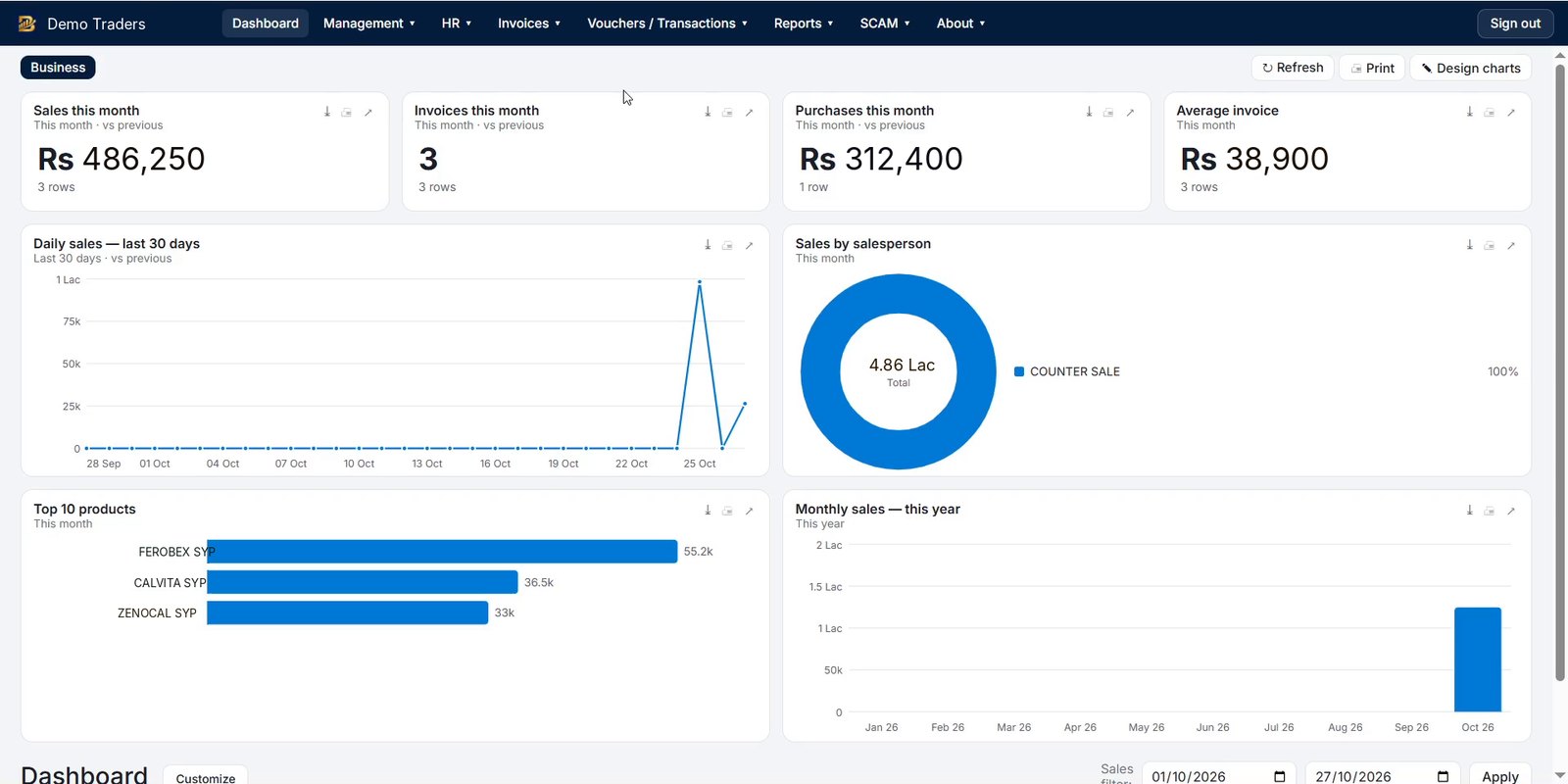
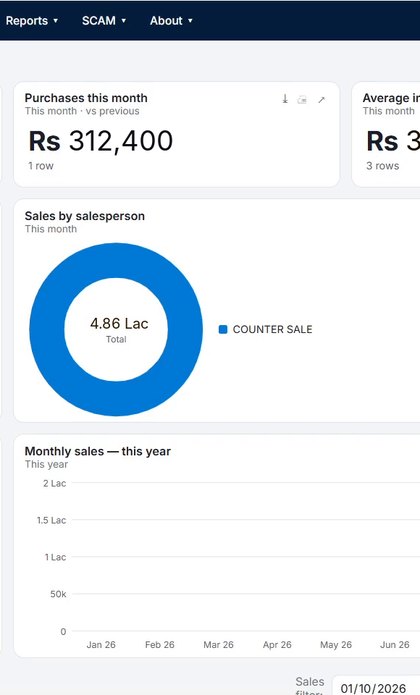
Who it's for
One system for every trading and medicine business
Three ways to run BMAAS
Pick the setup that fits your business
BMAAS ERP for PC
The full system on your office PC: invoices, purchases, stock, ledgers, HR, reports and document design. Works without internet. Other PCs in the office can connect to the Main PC.
From $10 / month
BMAAS on your phone
Salesmen and owners use their phones with the office Main PC: take orders, make invoices, check stock and party balances from the field.
From $5 / device / month
Whole system on one phone
No PC needed. The complete BMAAS ERP runs on a single Android phone, made for small distributors and shops on the move.
From $5 / month
What makes BMAAS different
Built for the way trading and medicine businesses work
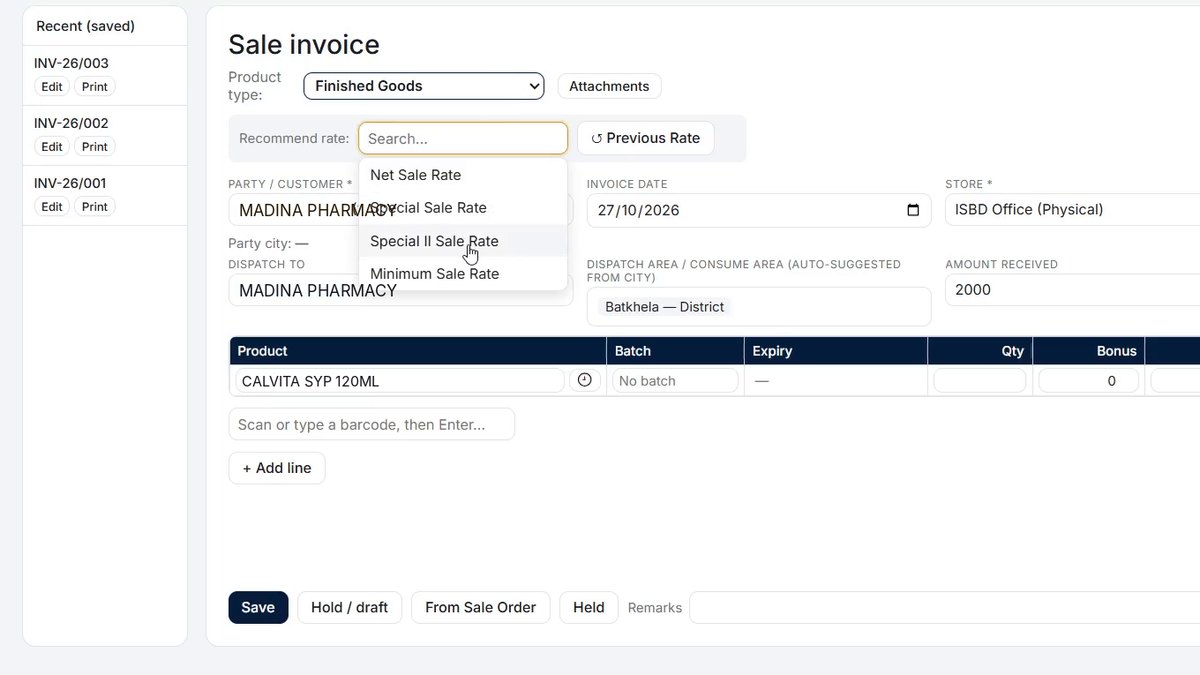
Net, Special, Special II and Minimum rates
Every product carries four sale rates. Pick the rate tier on the invoice and BMAAS fills the right price on every line, so your team never quotes below the minimum.
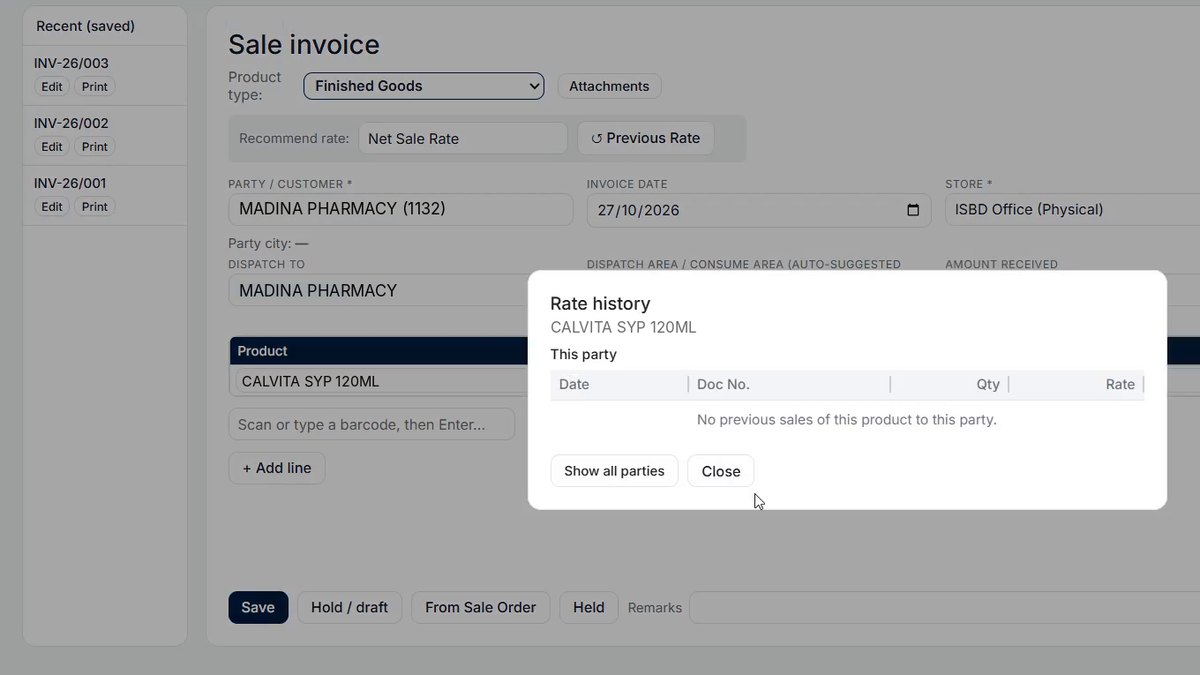
See what you charged this party last time
Open the rate history right inside the invoice: past dates, document numbers, quantities and rates for this product and this party, or for all parties.
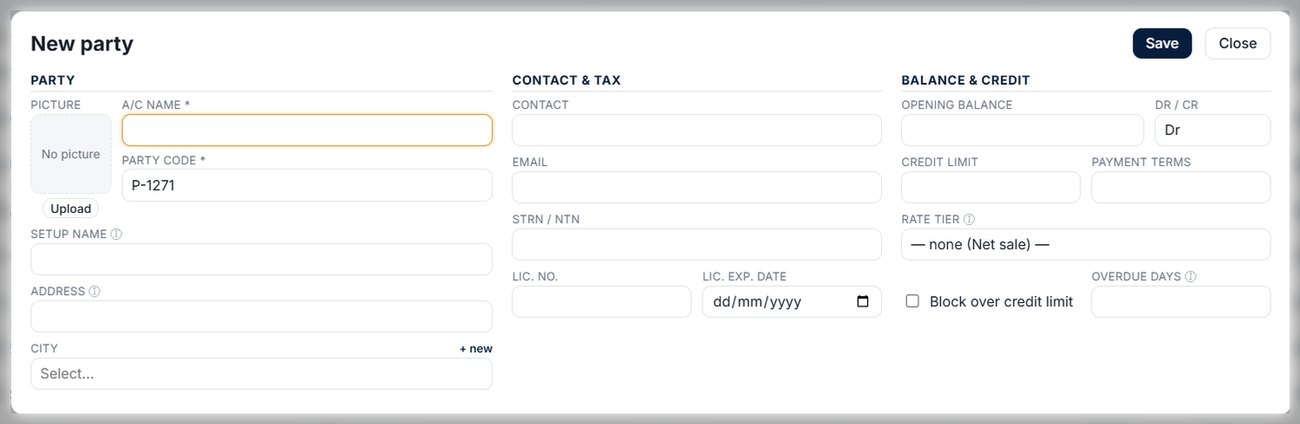
Standard or detailed, in one click
The standard ledger shows every invoice and payment with a running balance. Switch to the detailed view to see the products, quantities and rates inside each invoice, which makes settling accounts with customers simple.
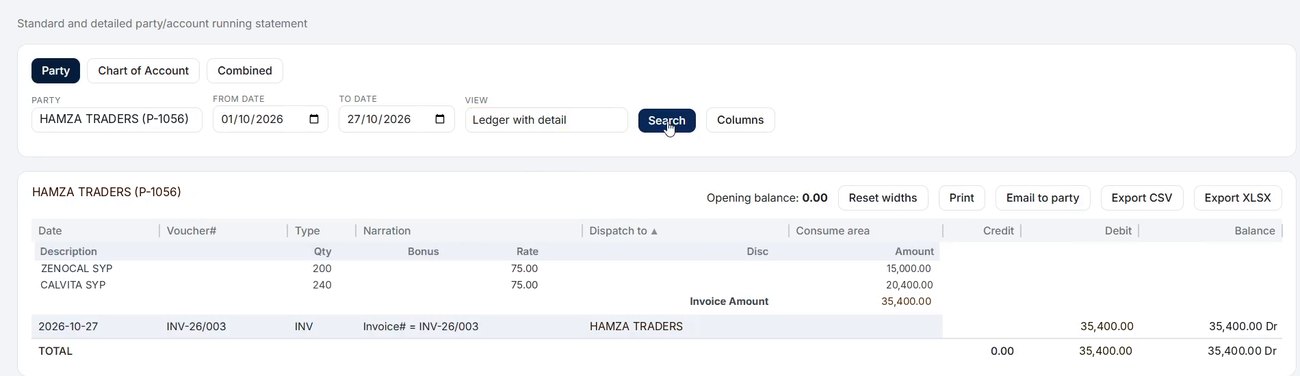
All your products in one list
See every product with its pack size, quantity per case, purchase rate, sale rates and MRP. Filter by product type, sub-company, manufacturer, category and generic name, and find any product in a second.
- Generic name and manufacturer, ideal for medicines
- Choose columns, export to CSV or print
- Bulk upload from Excel for hundreds of products
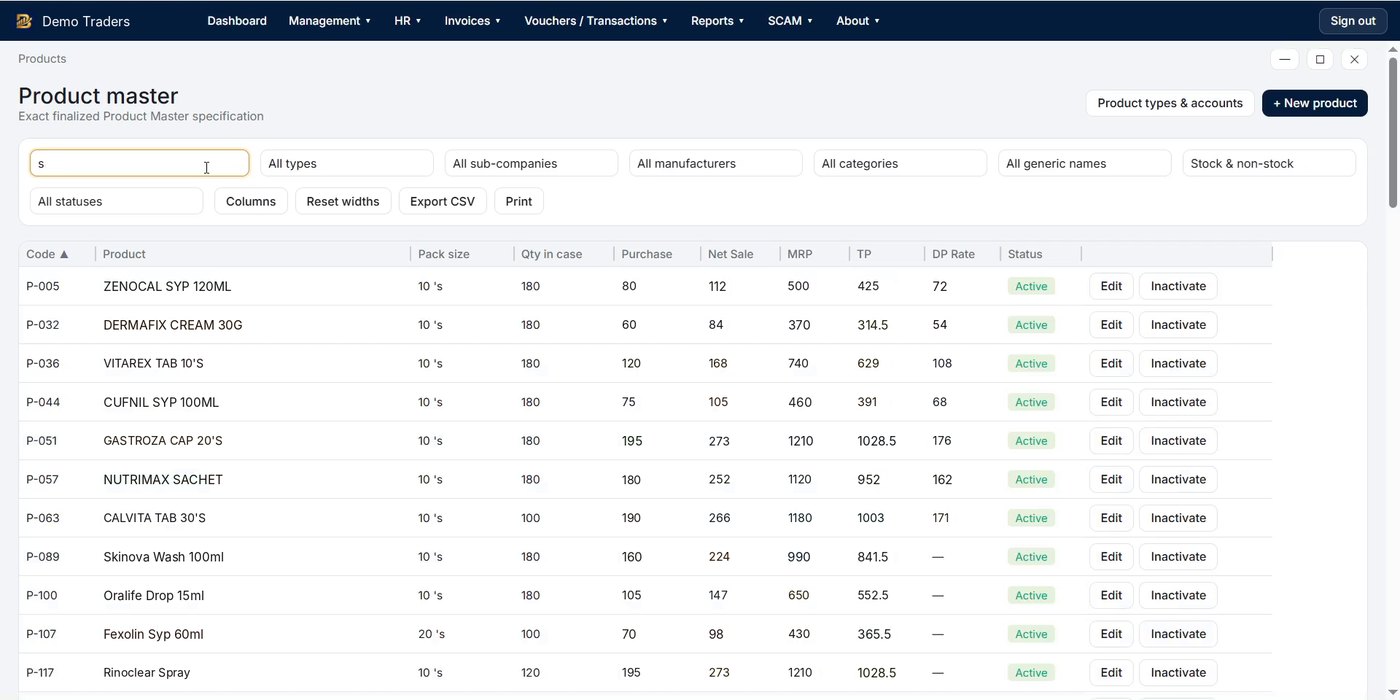
One form for everything about a product
Code, type, sub-company, picture, barcode, Form-7 number, pack size, unit, quantity per case, manufacturer, category and generic name, plus the full formulation with ingredients, pharmacopeia, quantity and unit.
- Rates: purchase, cost, minimum, special II, special and net sale, plus MRP, TP and DP
- Tax & stock: GST %, GST exempt, minimum stock, reorder suggestion with suggested supplier
- Costing per unit: carton, factory, overhead and other charges
- Opening stock by store, batch and expiry, right in the same form
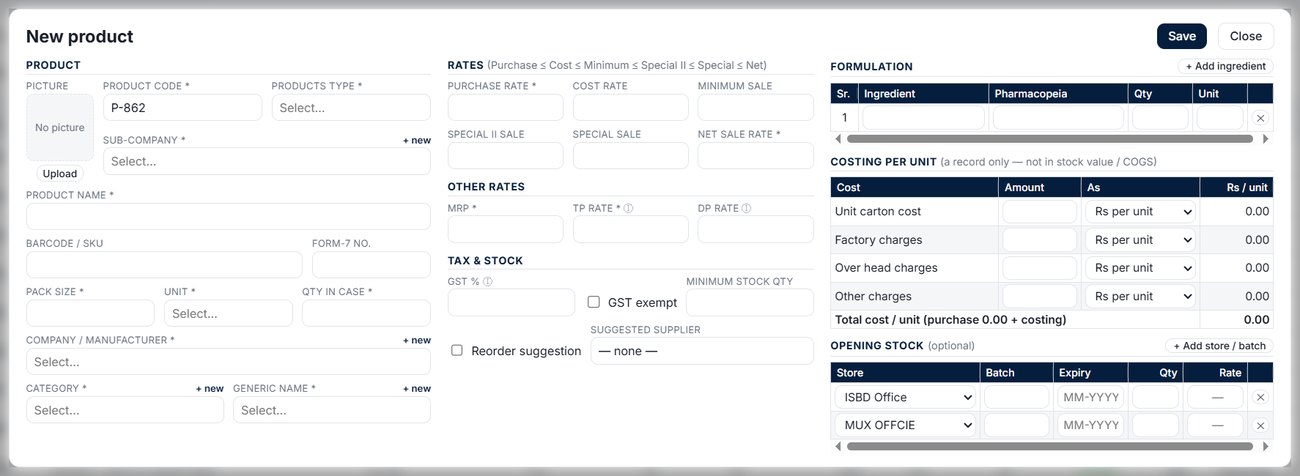
Customers and suppliers, set up once
Name, code, picture, the setup name printed on documents, address and city, with contact, email, STRN/NTN and drug licence number with its expiry date.
- Opening balance as debit or credit
- Credit limit, payment terms and overdue days, with a block over credit limit
- Rate tier for each party, loaded on every invoice
Design every print yourself
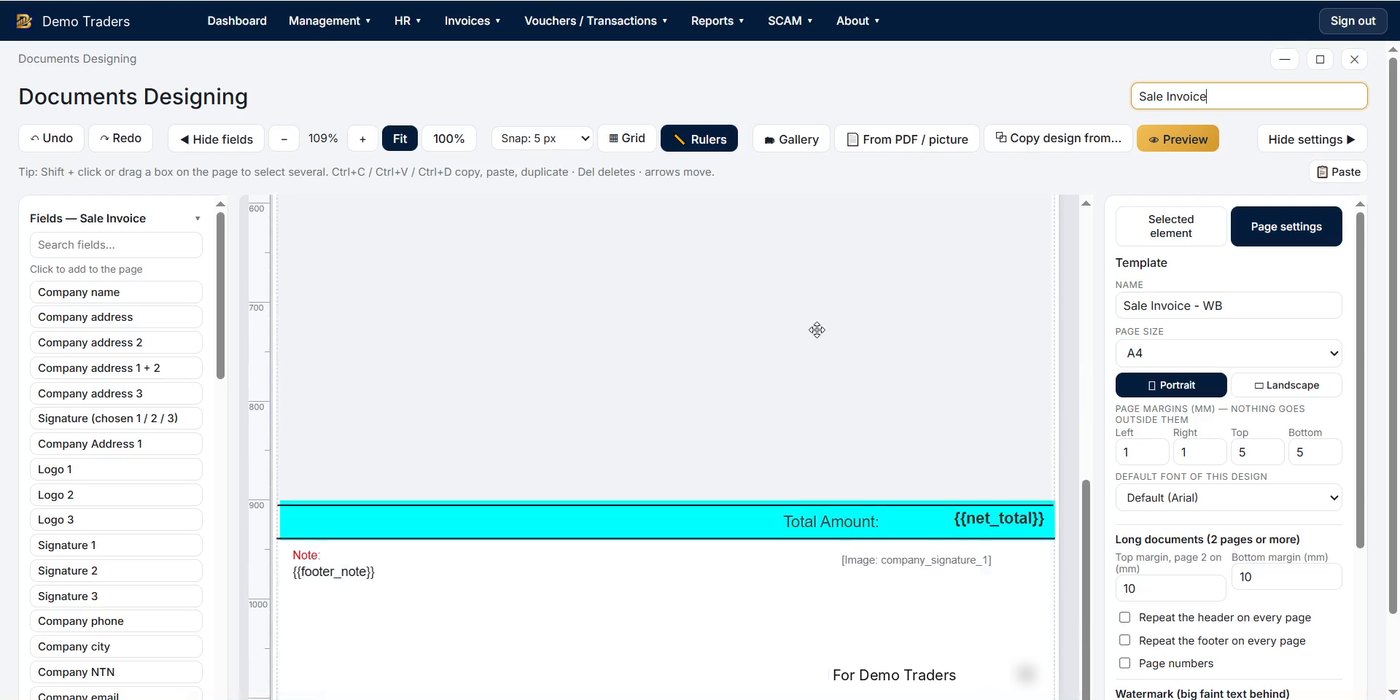
Not found in other systems: a full drag-and-drop designer for every document. Place fields, logos and up to three signatures on the page, set margins, page size, watermark and page numbers, import a layout from a PDF or picture, or copy a design from another document.
- Invoices, returns, quotations, warranty, vouchers, ledgers and reports
- Repeat header and footer on long documents
- Urdu printing supported
89 reports
Ready-made reports, plus your own
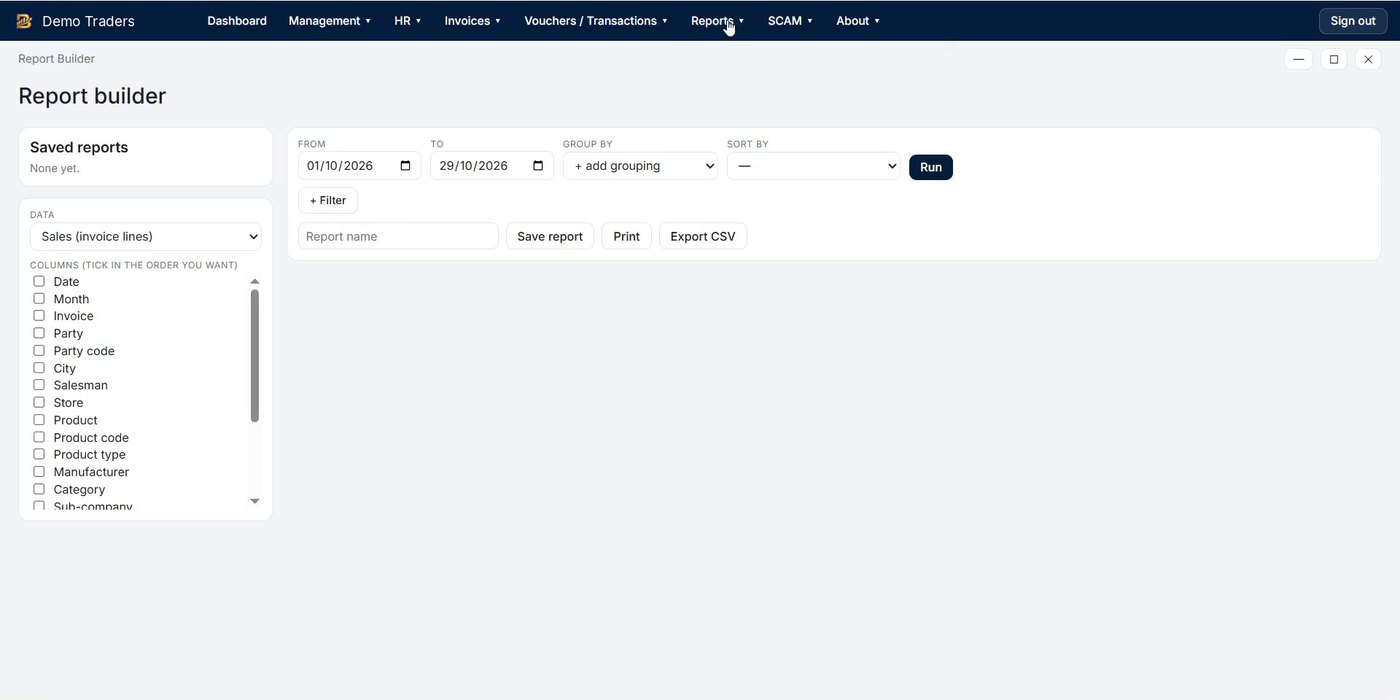
82 ready-made reports in 11 groups (Sales, Purchase, Financial, Party, Vouchers, Comparative, Other, Employees, Profit, Stock and Production) and 7 inventory reports including stock ledger, valuation, batch-wise and SSR.
- Report Builder: pick the data, tick columns, filter, group and sort, then save your report
- Print, export to CSV or Excel
- Profit by invoice, party, salesman, store and manufacturer
More reasons to choose BMAAS
Keeps working, wherever your team is
Work from anywhere, online or offline
Client PCs and phones connect to your office Main PC from anywhere, not only inside the office. Internet is needed only to sync. If the Main PC is off, each client PC and phone keeps the last 6 months of data, so your team keeps working smoothly and everything syncs when the connection is back.
Salesman visit tracking
See which shops each salesman visited, when, and what was ordered, together with S-C-A-M area coverage.
Google Drive backup
Your data is backed up to your own Google Drive, so it is safe even if the PC is lost or damaged.
One-click backup and restore
Take a full backup or restore it with a single click. BMAAS also backs up automatically when you close it.
Only in BMAAS
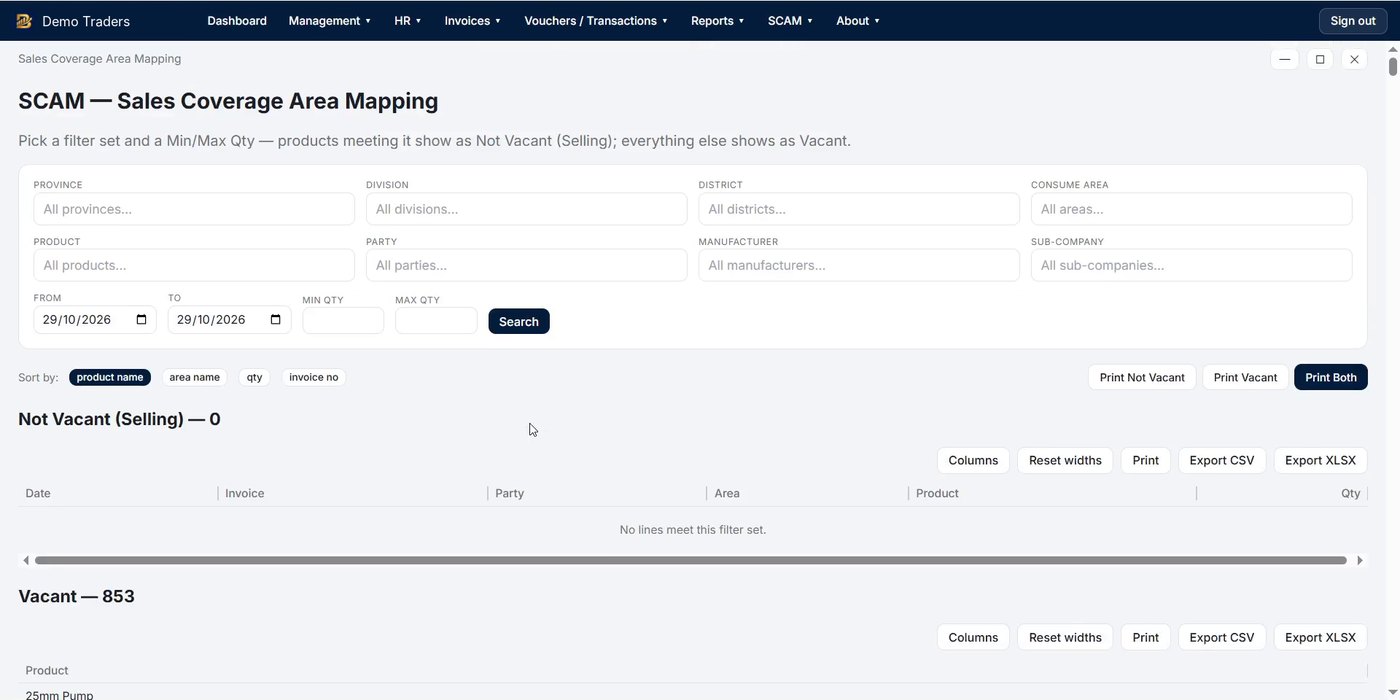
S-C-A-M: Sales Coverage Area Mapping
Know exactly which products are selling in every province, district and tehsil, and where they are vacant.
Everything in one system
Every menu in BMAAS ERP
The same menus you see in the app. Click any item to see that screen.
Simple pricing
Start free for 7 days, then choose a plan
Each product has its own licence. Activation code is sent after payment.
Book Free Demo
See BMAAS working on your own business
Tell us a little about your business. We will set up a free online demo on AnyDesk and show you the screens that matter to you.
Send the form. It takes about one minute.
We call you on WhatsApp to fix a time.
Online demo on AnyDesk, about 30 minutes.
Thank you, we got your request
We will contact you on WhatsApp to fix your online demo time.
Chat on WhatsApp nowQuestions
Frequently asked questions
Does BMAAS ERP work without internet?
Yes. The Main PC keeps your data and works fully offline. Client PCs and phones can work from anywhere; internet is needed only to sync. If the Main PC is off, client PCs and phones keep the last 6 months of data and keep working, then sync when they reconnect.
Can I use it on my phone?
Yes, two ways. The Phone App connects to your office Main PC, so salesmen can work from the field. BMAAS Mini runs the whole system on one phone with no PC.
How does the free trial work?
Download and install BMAAS. It runs for 7 days with all features. To continue, buy a licence and we send you an activation code.
Can more than one PC use the same data?
Yes. Install BMAAS on the Main PC, then other PCs in the office connect to it over your network.
Can I print invoices in Urdu?
Yes. Screens and printed documents support Urdu, and you can design your own print layouts with your logo and signature.
Is my data safe?
Your data stays on your own PC. BMAAS backs up to your Google Drive, takes an automatic backup when you close it, and you can back up or restore with one click.
What is your refund policy?
Paid licences can be refunded within 7 days of purchase. See the Refund Policy for details.
Ready to run your business on BMAAS?
Try it free for 7 days, or let us show you in a free online demo.